
Ready to automate?
Let's chatWhy This Guide Exists
Business automation has moved from a competitive advantage to a survival requirement. Companies that once spent weeks on manual processes now complete them in hours. Teams that drowned in data entry now focus on strategy and growth.
But here is the problem: most automation advice falls into two camps. Either it oversimplifies things ("just connect Zapier to everything!") or it overcomplicates them with enterprise jargon that does not apply to most businesses. This guide takes a different approach.
We will cover what actually works, how to measure whether it is worth it, and when to build custom solutions instead of stacking more subscriptions. Whether you are just starting to explore automation or looking to consolidate a fragmented tool stack, you will find actionable frameworks here.
The State of Business Automation in 2025
Let us start with where things stand. According to a 2024 Duke University study, nearly 60% of businesses have already implemented some form of automation. The global business process automation market hit $13 billion in 2024 and is projected to reach $23.9 billion by 2029, growing at 11.6% annually.
The results speak for themselves. Research from Microsoft shows that AI saves workers an average of one hour per day, with projections suggesting this could reach 12 hours per week within five years. Companies that heavily invested in automation lowered process costs by 22%, with top performers achieving up to 37% reduction according to Bain & Company's 2024 Automation Scorecard.
Key Statistics
- Automated workflows reduce task completion time by up to 70%
- Companies report a 50% decrease in errors with automation
- Average ROI of 240%, typically recouped within 6-9 months
But these numbers only tell part of the story. The real question is not whether to automate, but how to do it in a way that does not create new problems. That starts with understanding your options.
Finding Automation Opportunities in Your Business
The best automation candidates share common characteristics. Learning to spot them will help you prioritize where to focus first.
Repeatable
Same steps each time
Rule-based
Clear if/then logic
Data movement
Between systems
Low judgment
Minimal creativity needed
Time-sensitive
Deadline-driven
Bottleneck
Creates delays
If a task matches 3+ criteria above, it is a strong automation candidate.
Daily Tasks (High Impact)
These happen so frequently that even small time savings compound dramatically:
- Data entry between systems
- Email responses to common questions
- Status updates to team or clients
- Report generation and distribution
- Invoice creation and sending
Weekly Processes
These often consume entire afternoons and are prime candidates for automation:
- Payroll data preparation
- Inventory reconciliation
- Performance report compilation
- Follow-up sequences for leads or customers
- Backup and archiving routines
The Automation Audit Checklist
Ask these questions about any process:
- Is this task repeatable (same steps each time)?
- Is it rule-based (clear if/then logic)?
- Does it involve moving data between systems?
- Does it require minimal creative judgment?
- Is it time-sensitive or deadline-driven?
- Does it currently create bottlenecks?
If you answered "yes" to three or more, you have found a strong candidate.
Red Flags That Signal Automation Opportunities
Listen for these phrases in your organization:
- "We do this every day/week without fail"
- "This takes forever but it is straightforward"
- "I wish this would just happen automatically"
- "We keep making the same mistakes here"
For a more comprehensive evaluation, download our Pre-Automation Checklist, which includes 20 questions to answer before starting any automation project.
Measuring Automation ROI: Time Is Money
The most common mistake in automation projects is failing to measure ROI properly. Many businesses implement automation based on gut feeling, then cannot justify the investment when budget conversations happen.
Here is a straightforward framework for calculating automation value:
Time Audit
Value Assignment
Automation Impact
ROI Calculation
The ROI Calculation Framework
Step 1: Time Audit
- List all repeatable tasks
- Track time spent on each (daily/weekly)
- Calculate annual hours
Step 2: Value Assignment
- Determine who performs each task
- Assign hourly value (salary + overhead, typically 1.3x salary)
- Calculate annual cost of manual work
Step 3: Automation Impact
- Estimate time reduction (typically 70-90% for well-suited tasks)
- Calculate hours saved annually
- Multiply by hourly value = Gross savings
Step 4: ROI Calculation
- Gross savings - Implementation cost = Net ROI
- Implementation cost / Monthly savings = Payback period
Real Example
Task: Order processing (2 hours/day at $50/hour equivalent)
Annual cost: 2 × $50 × 250 workdays = $25,000
After automation: 12 min/day (90% reduction)
Annual savings: $22,500
Custom solution cost: $15,000
Payback period: 8 months
5-year ROI: $97,500
Do not forget the hidden ROI factors that are harder to quantify but equally important:
- Error reduction: Companies report 50% fewer errors with automation
- Consistency: Automated processes run the same way every time
- Employee satisfaction: Teams prefer strategic work over data entry
- Scalability: Automated systems handle growth without adding headcount
For a more detailed calculation, check out our Automation ROI Calculator, a free spreadsheet you can use to model potential savings for your specific situation.
Quick Automation Wins with Low-Code Tools
Before diving into custom solutions, it is worth acknowledging that tools like Zapier, Make, and n8n have democratized automation. For simple workflows, they are often the right starting point.
Zapier
With over 7,000 app integrations, Zapier is the most accessible option for non-technical users. It excels at simple "if this, then that" workflows and has a massive library of pre-built templates. The trade-off is flexibility. Building complex conditional logic becomes cumbersome, and costs can multiply quickly with task-based billing.
Make (formerly Integromat)
Make offers a more sophisticated visual interface that lets you see your entire workflow as a diagram. It handles complex branching logic better than Zapier and is often more affordable for multi-step automations. The learning curve is steeper, but the power is worth it for growing businesses.
n8n
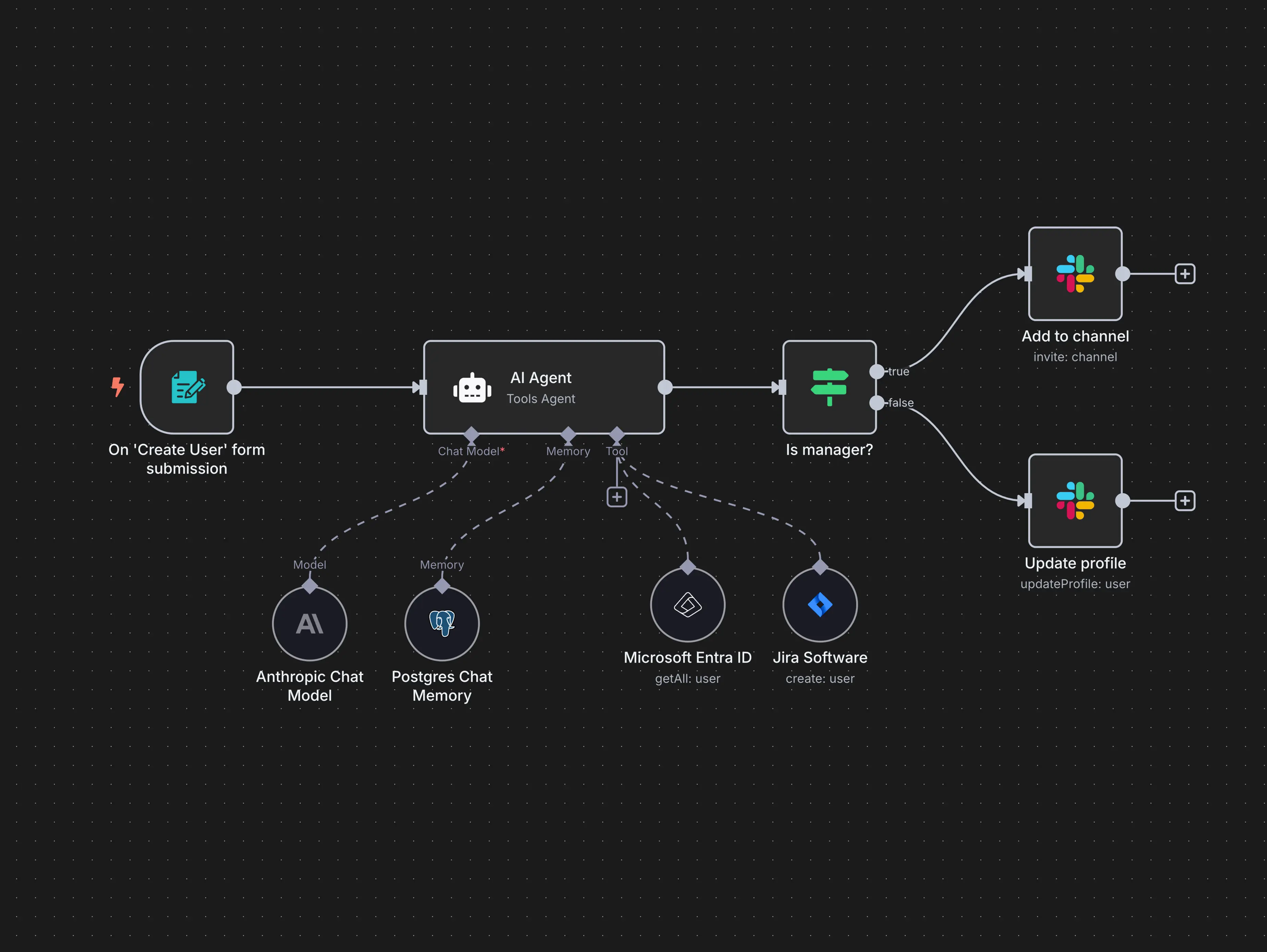
For technical teams, n8n is a game-changer. It is open-source, can be self-hosted (giving you full data control), and charges per workflow execution rather than per task. This means a complex 20-step workflow counts as one execution, not 20 separate charges. If you have developers on your team and care about data sovereignty, n8n deserves serious consideration.
5 Automations Any Business Can Implement Today
- Send Slack/Teams notifications when new leads come in
- Auto-create project tasks from specific emails
- Sync customer data between your CRM and email platform
- Generate weekly reports from spreadsheet data
- Auto-backup important files to cloud storage
These tools are perfect for getting started. But as your automations grow more complex, you will hit their limits. When your workflows need custom logic, reliability at scale, or when you want to stop paying monthly fees that grow with your usage, it becomes worth evaluating custom solutions.
The Hidden Cost of Subscription Stacking
Here is a pattern we see constantly: a business starts with one SaaS tool, then adds another, then another. Before long, they are running 20+ subscriptions, many with overlapping features, none of which talk to each other properly.
According to Zylo's 2025 SaaS Management Report, organizations used an average of 220 SaaS applications in 2024 (down from a peak of 371 in 2023, as leaders finally started pruning). SaaS now costs approximately $9,100 per employee annually, up 15% over the past two years.
Based on $500/month SaaS stack with 8% annual price increases vs. custom build
The Cledara 2025 Software Spend Report reveals that SaaS inflation is now nearly 5x higher than the standard market inflation rate. And according to Gartner's 2025 SaaS Economics report, hidden integration, training, and customization costs increase true SaaS total cost of ownership by 150% to 200% beyond the sticker price.
The Real Math on Subscription Stacking
Consider a modest SaaS stack at $500/month:
- Annual cost: $6,000
- 5-year cost: $30,000
- 10-year cost (with 8% annual increases): ~$85,000
That is for a modest stack. Many businesses spend $2,000 to $5,000 monthly on software subscriptions. Over a decade, with typical price increases, that becomes a significant capital drain.
Beyond cost, there is the waste problem. Organizations use only 47% of their SaaS licenses, wasting $21 million annually on unused seats according to the same Zylo report. And 75% of IT teams do not have clear visibility into what apps are being used or when subscriptions renew.
The alternative is not to avoid software entirely. It is to be strategic about what you rent versus what you own. Every subscription is a small leak in your budget. Custom software, by contrast, is a one-time investment that becomes an asset on your balance sheet.
Custom Solutions Can Replace What You Already Pay For
Here is a question worth asking: how many of your current subscriptions could be replaced by a single custom system?
According to analysis from Neontri and Hireplicity, custom software typically pays for itself within 3 to 5 years for stable, high-usage scenarios. In some cases, the break-even point comes within 24 months. The key insight is that custom does not have to mean expensive. While enterprise-level projects can run into six figures, focused automation solutions for small and mid-sized businesses often start at a fraction of that cost, making the ROI timeline even more attractive.
Common Subscription Replacements
Look for tools with overlapping features. These are prime candidates for consolidation:
- Multiple project management tools can become a unified dashboard
- Separate CRM, email marketing, and analytics can merge into an integrated platform
- Manual reporting across multiple tools can become an automated dashboard
- Inventory and order tracking across platforms can consolidate into one system

Consider the math: if you are spending $400/month on fragmented tools, that is $4,800/year and $24,000 over five years. A custom solution that consolidates those tools into one system you own can pay for itself within the first year, then saves you money every month after. We help clients identify exactly which subscriptions can be replaced, and build focused solutions designed to deliver ROI fast.
Combining Fragmented Functions into Unified Systems
The trend toward platform consolidation is accelerating. According to Zylo, 75% of organizations pursued vendor consolidation in 2022, up from just 29% in 2020. Gartner predicts that by 2027, 70% of organizations will limit cloud-native vendors to a maximum of three.
The business case is clear. According to A5Corp's analysis, the average company wastes $3 million on redundant applications. Companies that have consolidated their tech stacks report an average 25% increase in productivity and 30% increase in revenue growth.
Before: Fragmented
After: Unified
Creative Consolidation Examples
E-commerce Operations Hub
Replaces: Inventory tool + Order management + Customer support + Analytics
One dashboard shows stock levels, order status, support tickets, and performance metrics in real time. No more switching between four different apps.
Professional Services Command Center
Replaces: Project management + Time tracking + Invoicing + Client portal
One system handles project timelines, logged hours, auto-invoicing, and client visibility. Teams stop re-entering data across multiple platforms.
Real Estate Deal Tracker
Replaces: CRM + Document management + Commission tracking + Lead scoring
Single source of truth for pipeline, documents, payouts, and lead quality. Agents spend time selling, not managing tools.
Questions to Identify Consolidation Opportunities
- Which tools share similar data?
- What information do you re-enter across multiple platforms?
- Where do you manually move data between systems?
- What reports require pulling from multiple sources?
The goal is not to replace every tool with custom software. It is to identify where multiple subscriptions are doing jobs that one unified system could handle better. Instead of automating around your existing tools, you can design systems that do the work of multiple subscriptions while giving you complete ownership.
When to Build Custom vs Buy Off-the-Shelf
This is the million-dollar question. The honest answer is: it depends. Both approaches have their place, and the best strategy often combines them.
Choose SaaS When...
- Your processes are standard and match the tool's workflow
- You have a limited budget for upfront investment
- You need to launch quickly (SaaS deploys 40-60% faster)
- Your requirements keep changing and you are still experimenting
- You have a small user count (under 10 users)
- The capability is non-differentiating for your business
Choose Custom When...
- You have unique workflows that do not fit templates
- Long-term cost optimization matters (3-5 year view)
- Data control and security are non-negotiable
- You need deep integration with existing systems
- You want to eliminate multiple subscriptions
- Your scale requirements will grow significantly
- You want a business asset, not an expense
The Hybrid Approach
Many successful businesses start with SaaS to validate a process, then migrate to custom once the workflow stabilizes. This de-risks the investment while still capturing long-term value. The key is to migrate high-usage, high-cost tools first while keeping SaaS for commoditized functions where the tool is "good enough."
5 Questions Before Deciding
- What is our 5-year total cost of ownership?
- Do we need features the tool does not offer?
- Will we hit pricing tiers as we grow?
- Is our data portable if we need to leave?
- Could one custom system replace multiple tools?
We help you evaluate honestly. Sometimes SaaS is the right answer. But when custom makes sense, we build solutions that pay for themselves and become lasting business assets. The difference is you own everything we create. No monthly fees, no vendor lock-in, no price increases.
Getting Started
Business automation is not about replacing people with robots. It is about freeing your team from repetitive work so they can focus on what actually moves the needle: strategy, creativity, and relationships.
Start with an automation audit. Identify your three highest-impact opportunities using the framework in this guide. Calculate the potential ROI. Then decide whether low-code tools, custom solutions, or a hybrid approach makes the most sense.
The businesses that thrive in the next decade will be those that automate strategically, not those that simply accumulate more software subscriptions. The difference is ownership, control, and building assets that appreciate over time rather than expenses that compound.
If you want help identifying where automation could have the biggest impact in your business, we offer a free automation roadmap session. No pitch, just an honest assessment of where you stand and what makes sense as a next step.

We build custom dashboards, AI agents, and workflow automations that you own forever. No monthly fees, no vendor lock-in. Just powerful tools tailored to how your business actually works.